
Free Yoto Card Label Maker
Design and print custom labels for your Yoto MYO cards — free, no signup, right in your browser. Upload a photo or pick a template, then print 9 per A4 or US Letter sheet.
Before printing: set your print scale to 100% / Actual size (not “Fit to page”). Cards will be exactly 54 × 85.6 mm.
Edit label
Choose a template
Tip: drag cards to reorder (or use the ‹ › arrows on touch). The ⧉ button fills the rest of the sheet with the same card.
Heads up — you have too many images for the draft to auto-save in your browser. Download your PDF before you leave so you don't lose your work.
PDF saved. Print at 100% / Actual size (not “Fit to page”) so your cards stay exactly 54 × 85.6 mm — use “Check print size” if you're unsure.
Want to keep them tidy? We 3D-print Yoto card holders & docks →
1. Add your images
Upload images or pick a template.
2. Customise
Drag to reorder, edit text, choose your paper size.
3. Print & organise
Download the PDF and print at 100% / Actual size (not 'Fit to page') on A4 or US Letter, then trim along the cut lines.
What is a Yoto card label maker?
A Yoto card label maker is a tool that designs and sizes labels to fit Yoto MYO (make-your-own) cards, then lays them out on a printable sheet. The Printforge Yoto Card Label Maker does this entirely in your web browser: you upload a photo or choose one of 12 built-in templates, the tool crops it to the exact card size (54.0 × 85.6 mm), and it arranges 9 labels in a 3×3 grid on A4 or US Letter as a print-ready PDF. There is no signup, no software to install, and your images never leave your device — everything is processed locally in your browser.
What size are Yoto MYO cards?
A Yoto MYO card measures 54.0 × 85.6 mm — exactly the same size as a standard credit card (the ISO/IEC CR80 format). That works out to roughly 2.13 × 3.37 inches, or 5.40 × 8.56 cm, and about 638 × 1012 px at 300 DPI. The same dimensions apply whether you use a Yoto Player or a Yoto Mini. One note: do not pick a credit-card preset in design apps — a credit card's printed face is landscape, while a Yoto card label is portrait. The Printforge tool is already locked to 54.0 × 85.6 mm, so every label fits the card with no manual resizing.
How to print Yoto cards at home (step by step)
Printing Yoto card labels at home takes about five minutes:
- Add your image or pick one of 12 templates in the tool above.
- Choose A4 or US Letter as your paper size.
- Click Download PDF to get a print-ready sheet of 9 labels.
- In your printer dialog, set Scale to 100% (or 'Actual size') and turn off 'Fit to page' or 'Shrink oversized pages'.
- Print, then trim along the printed cut lines.
To confirm your scaling before wasting a sheet, use the 'Print test page' button and measure the box — it should be exactly 54 × 85.6 mm.
Best paper and printer settings for Yoto labels
Any standard home-printer paper works for Yoto card labels, but the finish depends on how long you want them to last. For everyday use, plain paper trimmed and slipped into a card holder is fine. For a tougher, photo-quality result, print on photo paper or matte/glossy full-sheet adhesive label paper and stick it onto a blank MYO card. If labels will be handled by little hands or get wet, look for waterproof or vinyl sticker paper, or laminate the printed label before trimming. Whatever you choose, the single most important setting is print scale: keep it at 100% / Actual size so the card stays a true 54 × 85.6 mm.
Troubleshooting: my Yoto cards print the wrong size
If your printed cards come out too small (or slightly too big), your printer is scaling the page to fit the margins. This is the most common Yoto-printing mistake. The fix is to set Scale to 100% (or 'Actual size') in the print dialog and turn off 'Fit to page' and 'Shrink oversized pages'. To check before committing a full sheet, click 'Print test page' in the tool — it prints a single calibration box you measure with a ruler. If the box is exactly 54 × 85.6 mm, your settings are correct and every label will fit. If it's off, adjust the scale and re-test. Most home printers default to 'fit', so this one check saves a lot of wasted paper.
Yoto card templates vs the in-browser maker
There are two ways to make Yoto card labels with Printforge, and you can use whichever suits you. If you want to make and print labels right now with no design skills, use the in-browser maker above — upload a photo or pick a template and download a PDF in minutes. If you'd rather design your own artwork in Canva or another editor, we also offer free downloadable Yoto label templates in Canva, PDF, EPS and PNG formats, all set to the correct 54 × 85.6 mm card size with cut guides. Both are free and need no signup, so pick the one that matches how you like to work.
Keep your Yoto cards tidy
Once you've printed and trimmed your MYO cards, you'll want somewhere to keep them. Printforge designs and 3D-prints Yoto card holders, docks and display stands here in Australia, so your homemade cards stay organised, protected and easy to find next to the Player or Mini. A holder also keeps printed labels from peeling or bending in little hands. Browse our Yoto range to match your new cards with storage and display made by the same team that built this free tool — with shipping across Australia.
Frequently asked questions
What is the Printforge Yoto Card Label Maker?
It's a free, in-browser tool for designing and printing custom labels for Yoto MYO cards. You upload your own images or pick from 12 built-in templates, and it lays out 9 credit-card-sized labels per sheet as a print-ready PDF for A4 or US Letter. There's no signup and nothing to install. It's made by Printforge, an Australian 3D-printing maker of Yoto card holders, docks and stands.
What size are Yoto MYO cards and what size should the label be?
A Yoto MYO card measures 54.0 × 85.6 mm — exactly the same as a standard credit card (the CR80 format), or about 2.13 × 3.37 inches. Your label should match those dimensions. The Printforge tool is locked to 54.0 × 85.6 mm, so every label fits the card precisely with no manual resizing. The same size applies to both the Yoto Player and the Yoto Mini.
How many Yoto card labels fit on one sheet?
Both A4 and US Letter fit 9 Yoto card labels per sheet, arranged in a 3×3 grid. Each label is spaced with printed cut lines so you can trim them apart cleanly. If you add more than 9 cards, the tool automatically starts a new sheet.
Can I print Yoto card labels on A4 paper?
Yes. The tool supports both A4 (210 × 297 mm) and US Letter (8.5 × 11 in), and fits 9 labels on either size. A4 is the default. Just pick your paper size in the toolbar before you download the print-ready PDF.
Is the Yoto label maker really free, and do I need an account?
Yes, it's completely free and no account or signup is required. You can make and print as many Yoto card labels as you like at no cost. There's no paywall and no 'pro' tier — it's a free tool from an Australian maker.
Are my photos private — will you see my images?
Your images are never uploaded to any server. The Printforge Yoto Card Label Maker processes every photo locally in your browser, so your pictures never leave your device. Nobody at Printforge ever sees them.
What image files can I use, and is there a size limit?
You can use any JPG, PNG or WebP image up to 20 MB. The tool automatically crops each image to the correct credit-card aspect ratio (54.0 × 85.6 mm) so it fits a Yoto MYO card perfectly. You can also add text-only labels with a title, subtitle, six font choices and custom colours.
Do I need any special software or design skills?
No. The whole tool runs in your web browser — there's nothing to download or install, and no design experience needed. If you'd rather not start from a blank label, choose one of the 12 built-in templates and just swap in your own title and photo.
How do I print Yoto card labels at home so they come out the right size?
Download the print-ready PDF, then in your printer dialog set Scale to 100% (or 'Actual size') and turn off 'Fit to page' and 'Shrink oversized pages'. Before printing a full sheet, use the 'Print test page' button and measure the box with a ruler — it should be exactly 54 × 85.6 mm. Then print and trim along the cut lines.
Why are my Yoto labels printing too small?
Almost always because the printer is scaling the page to fit the margins. Set Scale to 100% / Actual size and turn off 'Fit to page'. Use the 'Print test page' button to print a single calibration box, measure it, and confirm it's 54 × 85.6 mm before you print the rest. This one check is the fix for the most common Yoto-printing problem.
What paper should I use for Yoto card labels?
Standard home-printer paper works fine. For labels that last, print on photo paper or full-sheet adhesive label paper and stick it onto a blank MYO card. If the cards will get handled a lot or wet, use waterproof or vinyl sticker paper, or laminate before trimming. Either way, slotting the finished card into a 3D-printed Printforge holder keeps the label protected.
Do you offer free Yoto card templates I can download?
Yes. As well as this live in-browser maker, we offer free downloadable Yoto label templates in Canva, PDF, EPS and PNG, all set to the correct 54 × 85.6 mm size with cut guides. Use the maker if you want to print straight away, or the templates if you'd rather design your own artwork in Canva or another editor.
Can I use Canva to make Yoto card labels?
Yes. In Canva, create a custom-size canvas of 54 × 85.6 mm (the Yoto card size) and design your label, then export it as a print-ready PDF. To save the setup time, you can start from our free Canva template, which is already sized correctly with cut guides — or skip Canva entirely and use the in-browser maker above.
How do I make my own Yoto cards?
First, add your audio to blank Yoto MYO cards in the Yoto app. Then design a matching label with this free tool: upload an image or choose a template, print at 54.0 × 85.6 mm (9 per A4 or US Letter sheet), trim it out, and attach it to the card. That's it — a fully personalised card your kids will recognise at a glance.
Are the built-in templates AI-generated?
No. The 12 built-in templates are simple, editable text-and-colour layouts designed to give you a quick starting point — you add your own title, subtitle and photo. They're there so you can make a tidy-looking label in seconds without any design work, not to replace your own images.
Not affiliated with or endorsed by Yoto Ltd. Yoto and Yoto MYO are trademarks of Yoto Ltd.
Made by the team behind this tool
Somewhere to keep your new cards
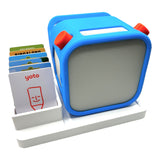
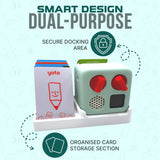
Printed and trimmed? These are the holders we design and 3D-print in our North Ryde, Sydney workshop, so homemade cards stay flat, findable and out of the couch cushions. Small items post for $4.95 and AU shipping is free over $60.
Get 10% off your first order
New Yoto designs, printing tips and the occasional discount. No spam.